How to Choose Rental LED Screens for Live Events
Introduction
A rental LED display must look good on camera, survive repeated handling and fit the event schedule. The best choice is not simply the screen with the smallest pixel pitch. Viewing distance, venue lighting, installation time, cabinet weight and maintenance access all affect the result.
This guide explains how to choose rental LED screens for concerts, conferences, exhibitions and touring productions. It also shows which specifications deserve attention before you compare quotations.
Start with the event and viewing distance
Begin with the closest audience position and the type of content. A conference stage with text, charts and close seating usually needs a finer pixel pitch than a large concert backdrop viewed from farther away. P2.6, P2.97 and P3.91 are common rental choices, but the correct option depends on the actual layout rather than a fixed rule.
For indoor events, brightness around 800 to 1,200 nits is often sufficient when the screen is not exposed to direct sunlight. Outdoor stages need higher brightness and weather protection. Ask the supplier to confirm the rated brightness after calibration, because an excessively bright indoor stage LED screen can cause eye discomfort and poor camera exposure.
Check refresh rate and camera performance
A stage screen may look stable to the eye but show lines or flicker on a camera. For filmed events, live streaming and broadcast use, select a high refresh rate driver configuration and test it with the intended camera settings. A refresh rate of 3,840 Hz or higher is a practical starting point for many professional projects; 7,680 Hz can offer more flexibility for demanding camera work.
Refresh rate is only one part of camera performance. Gray scale, scan mode, controller settings and brightness calibration also matter. Request an unedited phone or camera video of the same configuration before ordering.
Evaluate the rental cabinet
Rental cabinets should support fast assembly and accurate alignment. Look for strong locating pins, reliable locks, protected corner design and accessible power and data connections. A 500 x 500 mm cabinet is useful for flexible layouts, while 500 x 1,000 mm cabinets can reduce installation time on large walls. Many projects combine both sizes.
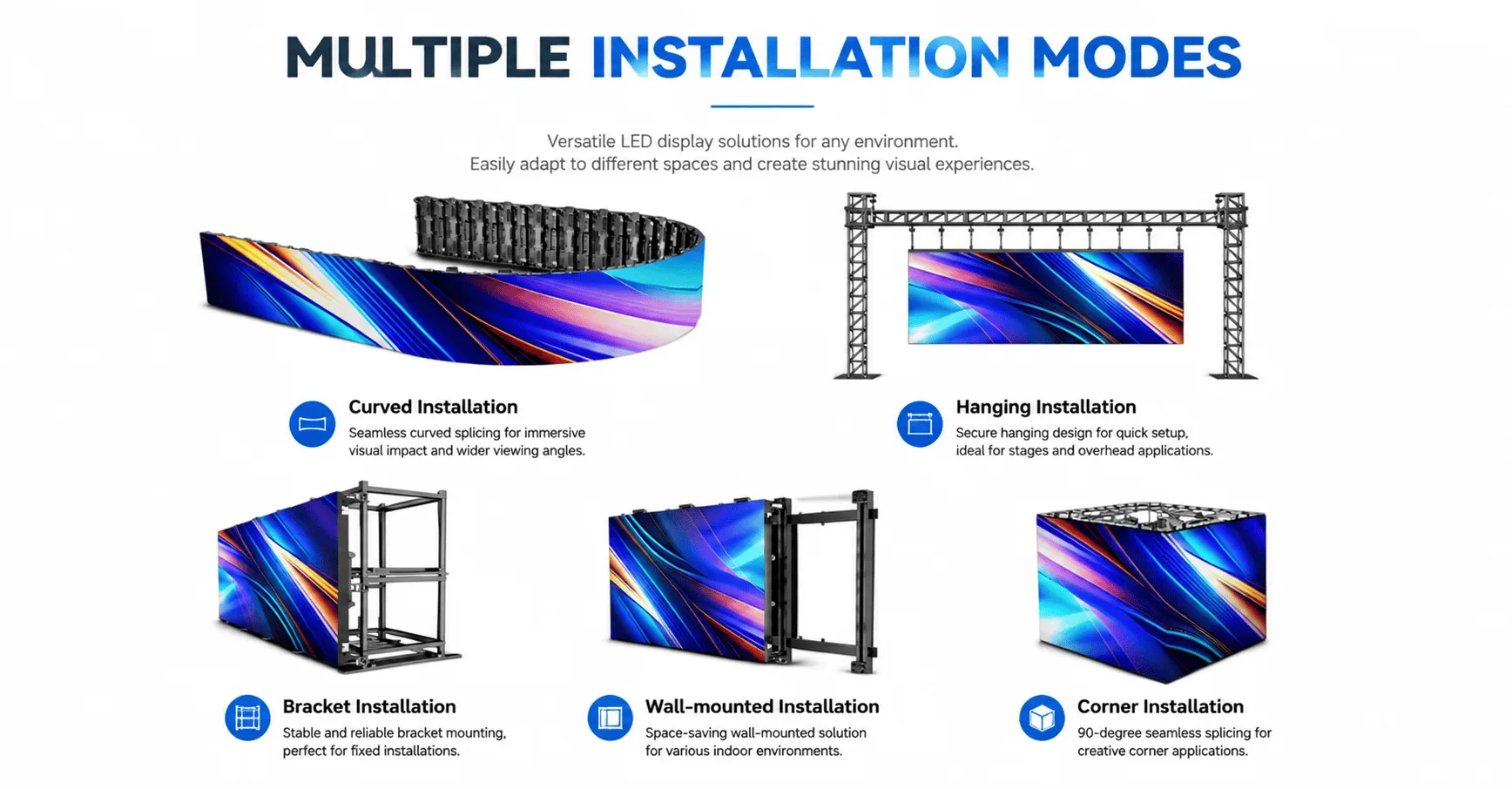
Cabinet weight matters because crews repeatedly lift and transport each led panel for events. Die-cast aluminum cabinets are popular because they are relatively light and dimensionally accurate. For curved stages, confirm the supported concave and convex angles and ask whether special locks are required.
Plan redundancy and service access
Live events allow little time for troubleshooting. Keep spare modules, receiving cards, power supplies and cables on site. Front-access modules help when the rear of the wall is blocked, while rear-access designs may be faster when a service corridor is available.
Confirm how power and signal are distributed across the screen. For important events, separate critical sections across circuits and signal paths so that one failure does not affect the entire display.
Questions to ask before buying
Send the supplier the screen dimensions, indoor or outdoor location, closest viewing distance, installation structure, content resolution and camera requirements. Ask for the exact LED type, driver IC, receiving card, power supply, cabinet weight, maximum power consumption, spare-parts list and flight-case quantity.
The best LED screen for concerts and events is the model that fits the complete production workflow. A balanced rental LED display gives the crew fast installation, the audience a clear picture and the operator practical maintenance options.
Frequently Asked Questions
What pixel pitch is suitable for a rental LED display?
P2.6 to P3.91 covers many indoor rental applications. Choose according to the closest viewing distance, content detail and budget.
Do I need an outdoor model for a covered stage?
Use an outdoor-rated screen if rain, moisture or strong daylight may reach the display. Confirm the cabinet and module protection level.
How many spare modules should I order?
The required quantity depends on project size and operating schedule. A supplier should propose a spare-parts package covering modules, power supplies, receiving cards and cables.
Talk to ZILANGLED About Your Project
Send us your screen dimensions, installation location, viewing distance and application. We can recommend a suitable pixel pitch, cabinet layout and control solution for your project. Contact ZILANGLED for specifications and a quotation.